Why Lightshot is popular
Lightshot is free, light and quick. Press Print Screen, drag a box, add a line or some text, and either copy it or upload it for a short link to share. For casual sharing, that convenience is hard to beat.
The problem with public share links
When you upload a capture with Lightshot, it goes to a public page on prnt.sc. Anyone with the link can see it, and Lightshot says the service is not intended to be private. Reporters and researchers have shown that changing a few characters in those links can turn up other people's screenshots, including personal and financial details.
That is fine for a meme. It is a real risk for screenshots of customer records, internal dashboards, invoices or anything with a password in view.
Scrannotate: no screenshot uploads
Scrannotate has no uploads and no share links at all. Captures go to your clipboard or to a file you save, and that is it. Paste them straight into Slack, Teams, email or a ticket, where your company already controls who can see them.
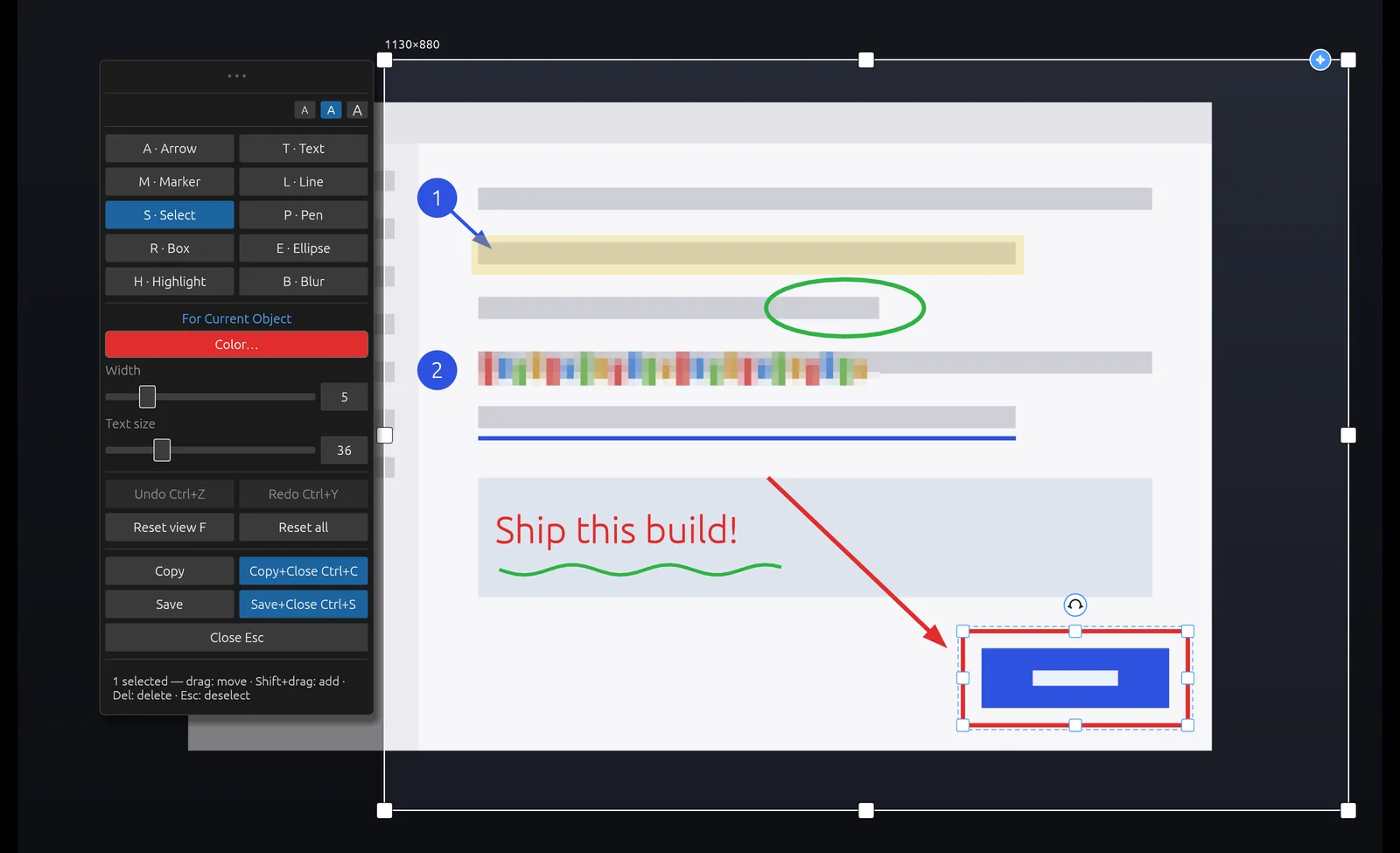
You also get a stronger editor: arrows, boxes, ellipses, text, highlights, numbered markers and a proper blur tool for hiding sensitive details before you share. Every mark stays editable. There are no ads. It costs $14.99 once, on Mac and Windows.
Lightshot vs Scrannotate
| Scrannotate | Lightshot | |
|---|---|---|
| Price | $14.99 once | Free |
| Uploads to a public link | No, never | Yes, optional |
| Blur sensitive details | Yes | No |
| Numbered step markers | Yes | No |
| Ads | No | On shared image pages |
| Mac and Windows | Yes | Yes |