Greenshot in brief
Greenshot is a long-running, free and open-source screenshot tool for Windows. It captures regions, windows and the full screen, and its editor handles shapes, arrows, text, highlighting and obfuscation. A separate Mac version is sold on the Mac App Store. If it does what you need on Windows, it is a solid free choice.
Why people look for a Greenshot alternative
- Two different apps. The Windows and Mac versions are separate products, so teams on both platforms do not get one consistent tool.
- Dated interface. The editor works, but it shows its age next to newer tools.
- More steps than needed. Its strength is sending captures to many destinations, which adds choices when you just want to copy and paste.
How Scrannotate is different
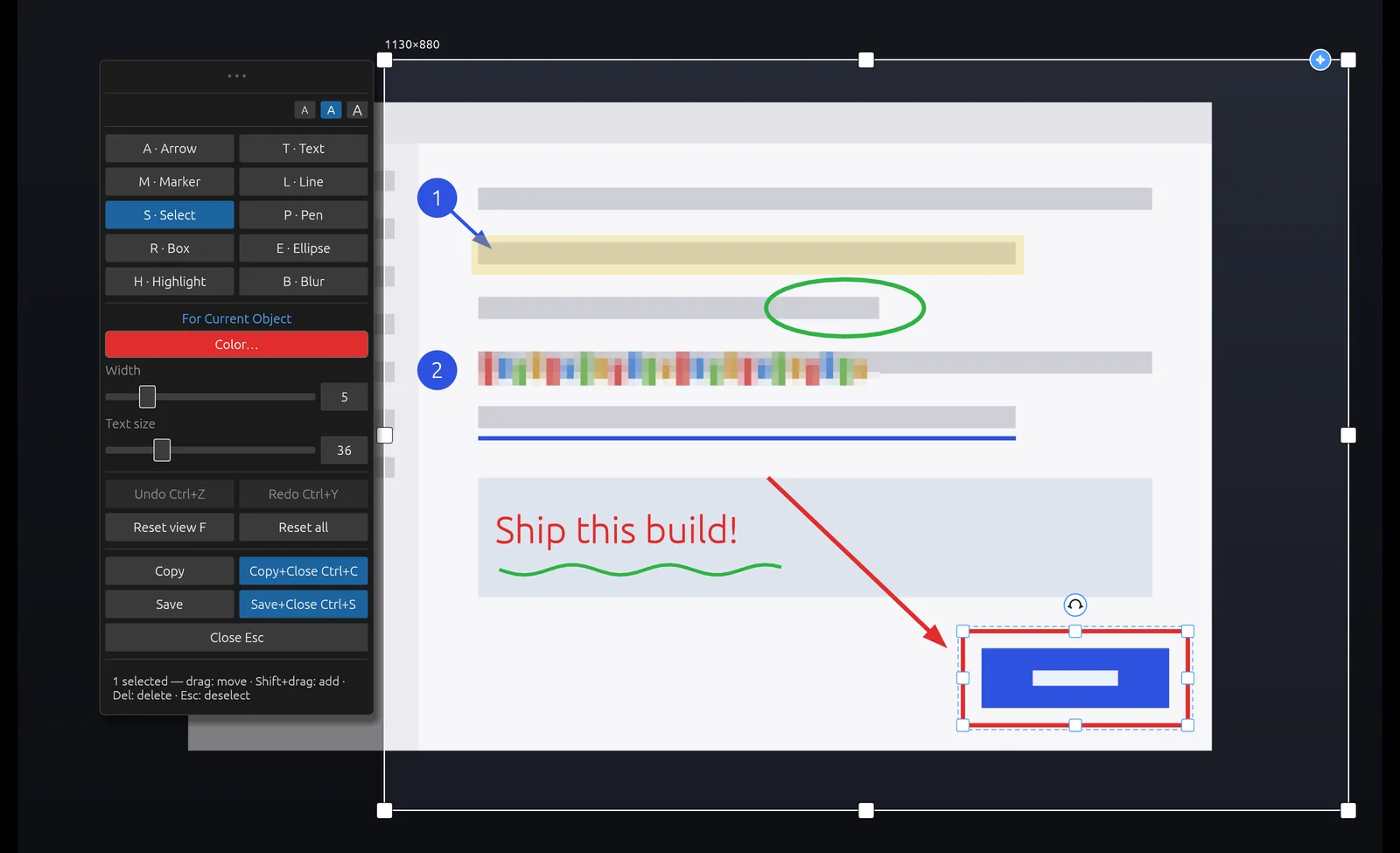
Scrannotate is built around one workflow: capture, annotate, copy. The editor opens around your capture. Every tool is one key, every mark stays editable, and copy closes the editor for you, so you are back to work in seconds.
It is the same app on Mac and Windows, with a modern editor that includes inline text editing, multi-select and a color picker that remembers your six most recent colors. It costs $14.99 once, with free updates through the app stores.
Greenshot vs Scrannotate
| Scrannotate | Greenshot | |
|---|---|---|
| Price | $14.99 once | Free on Windows, paid Mac app |
| Platforms | Mac and Windows, same app | Windows; separate Mac app |
| Arrows, boxes, text, highlight, blur | Yes | Yes |
| Multi-select and edit marks | Yes | Yes |
| Numbered step markers | Yes | Yes |
| Uploads and export destinations | No, clipboard and file only | Yes, many |
| Open source | No | Yes (Windows) |