System requirements
Operating systemWindows 10 (version 1809 or later) or Windows 11, 64-bit
InternetOnly to download from the store. The app works offline.
Install and first capture
- Open the Microsoft Store listingClick the button above, then Buy for $14.99. Sign in with your Microsoft account if asked.
- Install and open ScrannotateThe Store installs it for you. Open it from the Start menu.
- Set your hotkeyPick the shortcut you want for a new capture. Check the supported shortcut options in the app.
- Take your first capturePress the hotkey, drag over anything on screen, add an arrow with A, then press Ctrl+C to copy it and close.
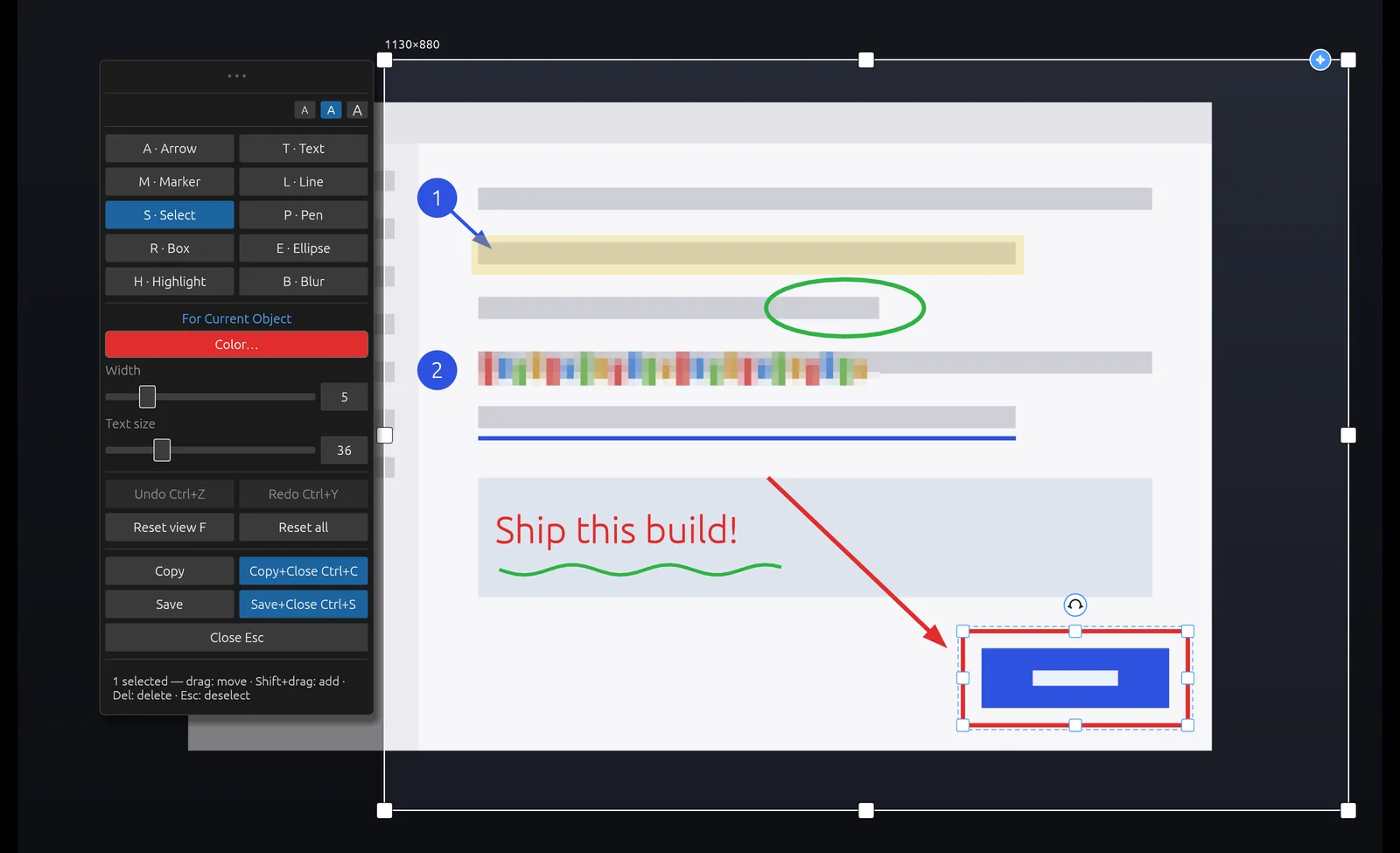
Shortcuts to learn first
A arrow, R box, T text, B blur, H highlight, M numbered marker. Use the editor’s Copy, Save and Undo actions. Follow the shortcut labels shown in your version of the app.